
Reviews Pricing Installation Guide Channels List Reviews Pricing Installation Guide Channels List Pick a Plan IPTV Free Trial UK: Test Before You Subscribe (2026) Introduction You have been here before, even if you have never used IPTV. You pay upfront for a streaming subscription, wait for it to activate, and settle in for opening night. Then the picture freezes halfway through. Or the sports channel you signed up for turns out not to be included after all. By the time you notice, the payment has already gone through and the refund conversation is starting. An IPTV free trial exists precisely to stop that from happening. It gives you a short window to check the service on your own network, your own television or streaming device, and your own viewing habits, before you commit a single pound. Used properly, a trial removes almost all the guesswork from choosing an IPTV provider. This guide is for anyone considering an IPTV service for the first time, or anyone who has been burned once already and wants to test properly this time. It walks through what a genuine trial should include, exactly how to test one step by step, and the warning signs that tell you to walk away before you pay anything. Our team at StreamBritish.net tests IPTV trials across multiple devices, multiple broadband connections, and different times of day before we publish a single recommendation. We do not rely on marketing claims or a five-minute glance at a menu screen. This guide reflects that same testing process, broken down so you can run it yourself in under 20 minutes. Why Test Before You Subscribe Skipping the trial and going straight to a paid subscription is the single most common mistake first-time IPTV buyers make. Problems that seem minor on paper become serious once you are relying on the service every evening. Buffering is the clearest example. A service can run perfectly at two in the afternoon and fall apart at eight in the evening, when everyone on your street is streaming at once and the provider’s servers are under real load. You only discover this by testing during UK peak hours, not by reading a features page. Channel availability is the second trap. Providers often advertise a long list of “premium” sports and entertainment channels, but a portion of that list can be unavailable, outdated, or restricted at the point you actually try to watch. The only way to know is to check the live channel list yourself during the trial, not to trust the sign-up page. Device compatibility is the third issue, and it rarely shows up until after installation. An app that looks fine on a phone can behave very differently on a Fire Stick or a Smart TV, with slower load times, missing features, or outright crashes. This is exactly why StreamBritish.net’s comparisons are built trial-first. We test the free trial in full before we ever write a review, because a provider’s real performance and its marketing page are not always the same thing. What a Good IPTV Trial Should Include Not every trial on offer is worth your time. A trial that only lasts a couple of hours, demands your card details upfront, or restricts you to one device barely tells you anything useful. Before you sign up, check the trial against the features below. Trial Feature Why It Matters Minimum 24–48 hours access Enough time to test peak-hour performance Full channel list access Confirms advertised channels actually work No card details required Protects you from surprise renewal charges Multi-device test Confirms compatibility with your Fire Stick/Smart TV Customer support contact Tests responsiveness before you commit Clear cancellation path Confirms you can walk away with no hassle A trial that ticks every box above is worth your time. One that is missing two or three of these is telling you something about how the provider expects to treat you once you are a paying customer, not just a trial user. How to Test Your Trial Properly A trial is only useful if you test it with some structure. Running through the steps below takes 15 to 20 minutes in total, and it will tell you more about a service than a week of casual viewing would. Run a speed test on the device you’ll actually use. Before you install anything, check your broadband speed on the exact device and connection you plan to watch on, whether that is Wi-Fi in the living room or a wired connection to your router. This becomes your baseline, so you know whether any buffering later is a network issue or a provider issue. Cross-check the live channel list against what was advertised. Open the app and go through the channels you specifically signed up for, not just a random sample. Confirm the exact sports, entertainment, and international channels named on the sign-up page are present and load correctly. Test during UK peak hours, ideally with live sport on. Between seven and ten in the evening, UK IPTV traffic is at its heaviest. If you can time your test around a live football match or another popular sporting event, do it. Peak-hour performance during a real event is the most honest test a trial can give you. Test on your primary device, not just a spare phone. A quick check on an old phone tells you almost nothing about how the service will behave on the television you actually watch every night. Install the app on your main device from the outset. Check picture quality across HD and, if offered, 4K channels. Compare the same channel at different quality settings if the provider offers them. Look for consistency rather than just a single good frame, since quality can drop under load even when the resolution setting stays the same. Test switching channels quickly. Flick between five or six channels in quick succession. A short delay is normal, but a lag of… Continue reading IPTV Free Trial UK: Test Before You Subscribe (2026)
Author: streambritish
What is IPTV? A Look at the Future of Television
Home Channels List Installation Guide Blog Reviews Home Channels List Installation Guide Blog Reviews Pick a Plan What is IPTV? A Look at the Future of Television Imagine settling in after a long day, ready to watch your favorite show. You pick up the remote, and instead of flipping through cable channels or dealing with satellite issues, you instantly access a vast library of content. You’re not bound by traditional television networks. This is the magic of IPTV, or Internet Protocol Television. IPTV is changing the way people consume television, offering a level of flexibility and convenience that traditional methods can’t match. Understanding IPTV IPTV stands for Internet Protocol Television, a system that delivers television content through an internet connection rather than via traditional satellite or cable signals. It works by converting TV shows, movies, and other content into data packets and transmitting them over the internet. Unlike conventional television services that require a physical broadcast, IPTV provides on-demand access, allowing you to watch what you want, when you want. There are several forms of IPTV: Live Television – Broadcasting shows, sports events, and news in real time. On-demand Content – Streaming movies, TV shows, and videos anytime. Time-shifted TV – Watch previously aired programs at your convenience. The Rise of IPTV: Stats You Should Know The popularity of IPTV has surged in recent years. According to a report by Statista, the global IPTV market size was valued at $57.45 billion in 2020 and is projected to reach $94.96 billion by 2025, growing at a CAGR of 10.6% (Statista – IPTV Market Size). This growth is driven by the increasing demand for content variety and personalized viewing experiences, which IPTV provides. Why IPTV is Becoming a Popular Choice for Viewers For those considering a shift from cable to IPTV, the reasons are clear: Cost-effectiveness: IPTV offers a more affordable alternative to traditional cable services, which often come with hidden fees and long-term contracts. Wide Range of Channels: IPTV gives access to an extensive list of international channels, including niche content that might not be available through conventional providers. Convenience: With IPTV, you can watch on multiple devices such as smartphones, tablets, and smart TVs. You are no longer tied to a single television set or location. Customization: Choose exactly what you want to watch, and when you want to watch it. IPTV services typically offer features like pause, rewind, and fast-forward, something cable TV can’t compete with. TVBOXUK: Your Trusted IPTV Provider If you’re considering buying an IPTV subscription, TVBOXUK is one of the providers that can help you make the transition smoothly. At tvboxuk.com, they offer reliable IPTV services that cater to various viewing needs. Whether you’re interested in sports, movies, news, or international content, TVBOXUK delivers a seamless IPTV experience, helping users gain access to the content they love, anytime and anywhere. Their services are designed with ease of use in mind, making it simpler than ever to enjoy the benefits of IPTV. Conclusion In today’s digital age, IPTV is rapidly gaining popularity as a more flexible, affordable, and convenient way to watch television. As more people turn to online services for their entertainment needs, it’s no surprise that the IPTV market continues to expand. Are you ready to cut the cord and embrace the future of television with IPTV? Best IPTV Subscription: Enjoy top-tier IPTV service with 4K quality on any device, anytime, with 30,000+ channels, 150,000+ VOD, and 99.9% uptime. © 2025 All rights reserved Links Home Blog Channels List DMCA Help How to Buy How to Install Company Privacy Policy Refund Policy FAQ Contacts contact@tvboxlab.com +44 74 5061 7091
Is IPTV Legal? Understanding the Legality of IPTV Services
Home Channels List Installation Guide Blog Reviews Home Channels List Installation Guide Blog Reviews Pick a Plan Is IPTV Legal? Understanding the Legality of IPTV Services In recent years, IPTV (Internet Protocol Television) has gained massive popularity, offering a convenient way to stream live TV and on-demand content. However, many users often ask, “Is IPTV legal?” The answer isn’t straightforward, as it depends on the type of service being used and the content being streamed. Understanding IPTV IPTV delivers TV channels and video content through the internet rather than traditional cable or satellite services. There are two main types of IPTV services: Legal IPTV Services – These are licensed providers that have agreements with content creators and networks. Examples include Hulu, YouTube TV, and Sling TV. Illegal IPTV Services – These services offer live TV, sports, and movies without proper licensing, often at very low prices or for free. Is IPTV Legal? The legality of IPTV depends on whether the service provider has the appropriate rights to distribute the content. Here’s a breakdown: Licensed IPTV Providers: Completely legal as they operate under content distribution agreements. Unlicensed IPTV Services: Considered illegal in many countries because they stream copyrighted content without permission. How to Identify Legal IPTV Services To ensure you are using a legal IPTV provider, check the following: Does the provider have official partnerships with major networks? Are the apps available on Google Play Store or Apple App Store? Does the service have a clear payment structure with terms and conditions? Consequences of Using Illegal IPTV Services Using unauthorized IPTV services can have serious consequences, including: Legal Actions & Fines – Many governments actively shut down illegal IPTV providers and impose fines on users. Security Risks – Illegal IPTV services may contain malware or phishing scams that compromise your personal data. Unreliable Streaming – These services often experience downtime, buffering, or sudden shutdowns. Final Thoughts So, is IPTV legal? The answer is yes—if you use a licensed and authorized service. Always research before subscribing to any IPTV provider to ensure compliance with copyright laws. Stick to reputable services to avoid legal and security risks. Looking for a reliable IPTV solution? Explore TVBOXUK for premium IPTV subscriptions with guaranteed uptime and high-quality streaming. Best IPTV Subscription: Enjoy top-tier IPTV service with 4K quality on any device, anytime, with 30,000+ channels, 150,000+ VOD, and 99.9% uptime. © 2025 All rights reserved Links Home Blog Channels List DMCA Help How to Buy How to Install Company Privacy Policy Refund Policy FAQ Contacts contact@tvboxlab.com +44 74 5061 7091
Free IPTV Subscription: Why You Should Think Twice
Home Channels List Installation Guide Blog Reviews Home Channels List Installation Guide Blog Reviews Pick a Plan Free IPTV Subscription: Why You Should Think Twice IPTV has become one of the most popular ways to stream live TV, sports, and entertainment. With so many providers out there, you may have come across free IPTV subscription offers that promise access to thousands of channels at no cost. Sounds tempting, right? But before you jump in, you should know the risks. Free IPTV may seem like a great deal, but it often comes with hidden dangers and poor-quality service. At TVBOXUK, we believe in offering a reliable, secure, and high-quality IPTV experience. Instead of risking your data or dealing with unstable service, you can try our premium IPTV subscription for just £12.99 per month and enjoy a hassle-free experience. Here’s why you should avoid free IPTV and opt for a trusted provider instead. 1.Free IPTV May Require Personal Information Many free IPTV providers ask for personal details like your email, phone number, or even payment information, even though they claim to be free. This is a red flag. Some of these providers sell your data to third parties, leading to unwanted spam, scams, or even identity theft. Others may require you to download suspicious apps or software, which can contain malware or spyware that tracks your activity. Once your information is compromised, there’s no way to undo the damage. With TVBOXUK, your privacy is a top priority. We only collect necessary details to set up your subscription securely, and you never have to worry about hidden risks. 2. Trial Scams: They Show You the Best, Then Sell You the Worst Some free IPTV providers offer a trial that seems perfect—smooth streams, no buffering, and high-quality channels. But once you pay for a subscription, the experience changes completely. Suddenly, you’re stuck with constant buffering, missing channels, and terrible customer support. This is a common trick: they put you on a premium server for the trial, then move you to a low-quality server once you’ve paid. Since most free IPTV services don’t have customer support, you’re left with a bad service and no way to fix it. At TVBOXUK, we don’t play games with your experience. What you see is what you get. Our IPTV subscription is stable, fast, and includes premium servers—the same ones you’ll use whether you’re on a trial or a long-term plan. 3. Free IPTV Subscription Are Unstable & Unreliable Even if you manage to find a free IPTV that works, the service is often unstable. Channels frequently stop working, streams buffer constantly, and some providers disappear overnight. Since there’s no official support, you’re left searching for another free provider every few weeks. This is especially frustrating when you’re watching live sports, TV shows, or major events. Imagine watching a crucial Premier League match, and suddenly, the stream crashes. That’s the reality of free IPTV. With TVBOXUK, you get a stable IPTV service with 24/7 availability, so you can watch your favorite channels without interruptions. 4. Why Choose TVBOXUK Instead? Instead of wasting time with unreliable and risky free IPTV services, you can get a premium IPTV experience for just £12.99 per month. Here’s what you get with TVBOXUK: ✅ No personal data risks – Your privacy is protected. ✅ High-quality, stable streams – No buffering or sudden shutdowns. ✅ Access to premium servers – The same great service every time. ✅ Reliable customer support – We’re here to help if you need assistance. For the price of a cup of coffee per week, you can enjoy a secure, high-quality IPTV service without the risks of free alternatives. Final Thoughts Free IPTV subscriptions may seem appealing, but the reality is far from perfect. Many providers compromise your privacy, scam you with fake trials, or offer low-quality streams that make watching TV frustrating. Instead of dealing with unreliable services, invest in a trusted IPTV provider like TVBOXUK. With just £12.99 per month, you get a high-quality IPTV experience with no risks. Best IPTV Subscription: Enjoy top-tier IPTV service with 4K quality on any device, anytime, with 30,000+ channels, 150,000+ VOD, and 99.9% uptime. © 2025 All rights reserved Links Home Blog Channels List DMCA Help How to Buy How to Install Company Privacy Policy Refund Policy FAQ Contacts contact@tvboxlab.com +44 74 5061 7091
Smart TVs (ALL)
Reviews Pricing Installation Guide Channels List Reviews Pricing Installation Guide Channels List Pick a Plan Smart TVs (ALL) How to Set Up HOT IPTV or HOT Player on Your Smart TV If you’re looking for an easy way to enjoy IPTV streaming on your Smart TV, setting up HOT IPTV or HOT Player is simple. Just follow these steps, and you’ll be watching your favorite content in no time! Step 1: Install the App To begin, you need to install the HOT IPTV or HOT Player app on your Smart TV. Turn on your Smart TV and go to the App Store or App Search section. Search for HOT IPTV or HOT Player. Click Download and wait for the installation to complete. Step 2: Open the App Once the app is installed, launch it on your TV. Go to your TV’s Apps section. Select HOT IPTV or HOT Player and open the app. Step 3: Find Your MAC Address To activate your IPTV subscription, you need to find your MAC address inside the app. When you open HOT IPTV or HOT Player, a MAC address will appear on the screen. This is a unique identifier needed for activation. Write it down or take a picture for reference. Step 4: Send Us Your MAC Address To activate your access to HOT IPTV, simply send us your MAC address. Contact our support team and provide your MAC address. We will activate your IPTV subscription as soon as possible. Step 5: Start Streaming! Once activated, you’re all set to enjoy your IPTV subscription on your Smart TV. Explore a wide range of live channels, movies, and series at your convenience. If you have any questions or need assistance, feel free to reach out to our support team. Enjoy your HOT IPTV streaming experience! Best IPTV Subscription: Enjoy top-tier IPTV service with 4K quality on any device, anytime, with 30,000+ channels, 150,000+ VOD, and 99.9% uptime. © 2026 All rights reserved Links Home Blog Channels List Help How to Buy How to Install DMCA Company Privacy Policy Refund Policy FAQ Contacts contact@StreamBritish.com +44 74 5061 7091
Formuler Box
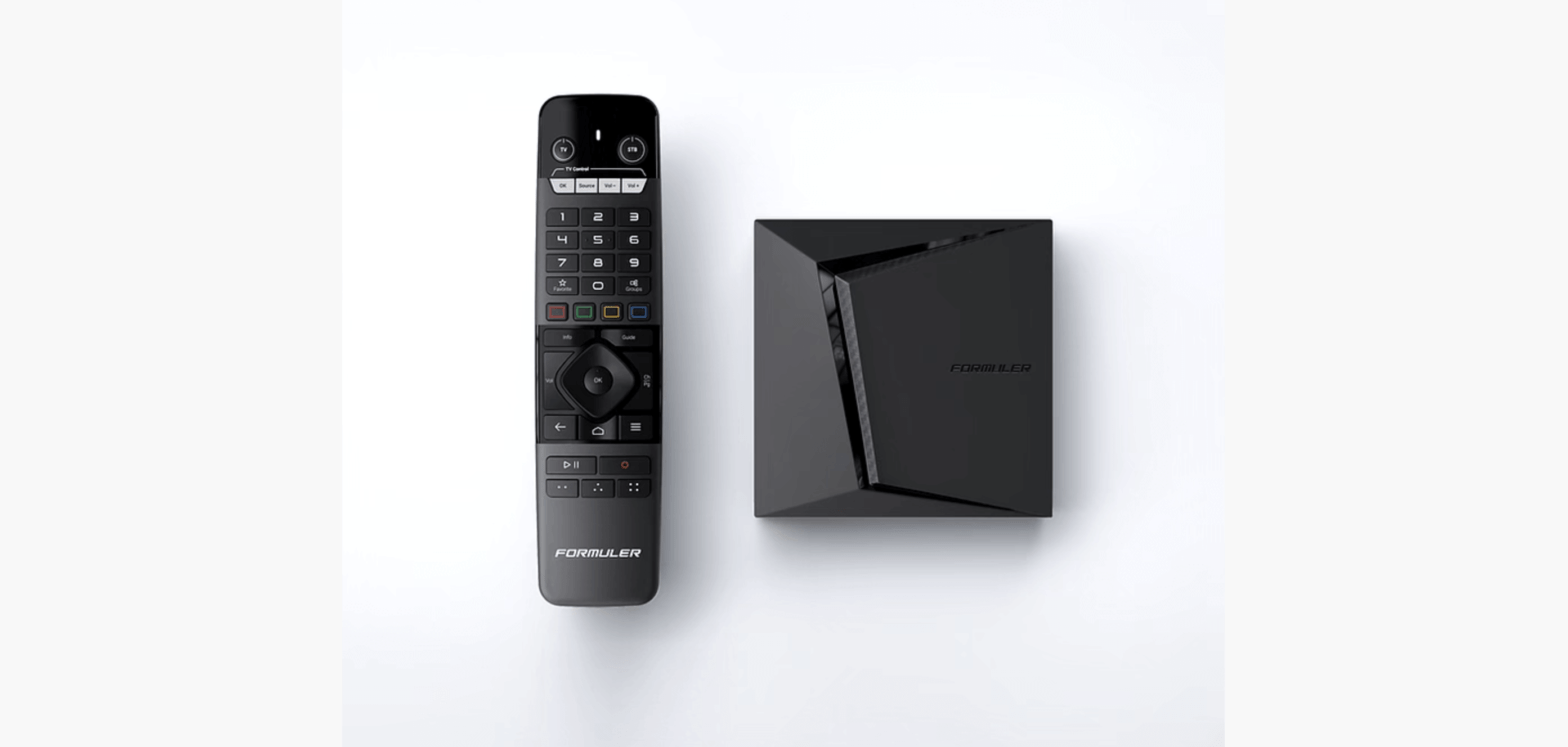
Reviews Pricing Installation Guide Channels List Reviews Pricing Installation Guide Channels List Pick a Plan Formuler Box FormulerZ boxes are one of the best devices for watching IPTV.The most important advantage of FormulerZ boxes is supporting both MAC base Portal System and M3U base Playlist. FormulerZ8 is the last version of Formuler boxes with MYTV Online 2 application which support 4K Ultra HD streaming,In this tutorial, we are going to show you how to bring IPTV channels to your MYTV Online 2 on FormulerZ8. This setup guide can be used for all models of Formuler devices/boxes: STEP 1: Open the exclusive application for watching IPTV in Formuler boxes “MYTV Online 2”.If you don’t have this application on your device you can download it from the Google Play store. STEP 2: You can see the box’s MAC in the top right of this page.Please note, this MAC address must be given to your IPTV provider. Here you can see the two options, select “Add Portal” to set the device as a MAC based device like MAG boxes. STEP 3: Enter Portal Nickname (Example: MYIPTV).Enter IPTV Portal URL you get from your IPTV provider and click on “CONNECT”. You can ask for a portal URL from your IPTV service provider. STEP 4: Successful Connection! You receive all channels associated with your subscriptionPlease note, this might take a little time. Unlock Premium IPTV Subscription with the Best Service in the UK Today! © 2026 All rights reserved Links Home Blog Channels List Help How to Buy How to Install Company Privacy Policy Refund Policy FAQ Contacts contact@StreamBritish.com +44 74 5061 7091
iPhones – iPADs

Reviews Pricing Installation Guide Channels List Reviews Pricing Installation Guide Channels List Pick a Plan iPhones – iPADs How to Set Up HOT Player on Your iPhone or iPad for IPTV Streaming If you’re looking for a simple way to watch IPTV on your iPhone or iPad, setting up HOT Player is quick and easy. Follow these steps to start enjoying your IPTV subscription in minutes! Step 1: Install the HOT Player App Unlike Firestick, you can download HOT Player directly from the App Store. Open the App Store on your iPhone or iPad. In the search bar, type HOT Player or click the link below: Download HOT Player Tap Download, then wait for the installation to complete. Step 2: Get Your MAC Address To activate your IPTV subscription, you’ll need to retrieve your MAC address from the HOT Player app. Open the HOT Player app on your iPhone or iPad. Your MAC address will be displayed on the screen. Write it down or take a screenshot for reference. Step 3: Send Us Your MAC Address To activate your access to your IPTV subscription, simply share your MAC address with us. Send it to our support team. We’ll confirm the activation as soon as possible. Step 4: Start Watching IPTV! ✅ Once your MAC address is activated, you can enjoy unlimited IPTV streaming with HOT Player on your iPhone or iPad. If you have any questions or need assistance, feel free to contact our support team. Enjoy your IPTV subscription and happy streaming! Best IPTV Subscription: Enjoy top-tier IPTV service with 4K quality on any device, anytime, with 30,000+ channels, 150,000+ VOD, and 99.9% uptime. © 2026 All rights reserved Links Home Blog Channels List DMCA Help How to Buy How to Install Company Privacy Policy Refund Policy FAQ Contacts contact@StreamBritish.com +44 74 5061 7091
Firestick – Firebox – FireTV
Reviews Pricing Installation Guide Channels List Reviews Pricing Installation Guide Channels List Pick a Plan Firestick – Firebox – FireTV How to Set Up HOT Player on Your Firestick: A Step-by-Step Guide If you’re looking for a seamless way to enjoy streaming on your Firestick, HOT Player is a great option. Setting it up is quick and easy. Just follow these simple steps, and you’ll be ready to stream in no time! Step 1: Install the Downloader App To get started, you’ll need to install the Downloader app on your Firestick. This app allows you to download third-party applications easily. Turn on your Firestick and go to the home screen. Navigate to the Find or Search option. Type in Downloader and select it from the search results. Click Download and wait for the installation to complete. Step 2: Enter the Download Link Now that you have the Downloader app installed, it’s time to get HOT Player. Open the Downloader app. In the URL field, type the following download link: https://apk.hotplayer.app/ Click Go, and the app will begin downloading. Once the download is complete, select Install to finish the process. Step 3: Get Your MAC Address After installing HOT Player, you’ll need to retrieve your MAC address to activate your account. Open the HOT Player app on your Firestick. Your MAC address will be displayed on the screen. Write it down or take a picture for reference. Step 4: Send Us Your MAC Address To activate your access, you’ll need to share your MAC address with us. Send your MAC address to our support team. Once we confirm activation, you’ll be ready to stream. That’s It! Start Streaming ✅ Once your MAC address is activated, you can start enjoying your favorite content through HOT Player on your Firestick. If you have any issues during setup, feel free to reach out for assistance Enjoy Your IPTV Subscription Starting from £12.99 Get a 1-month IPTV subscription and experience premium streaming risk-free with no commitment! Pick a Plan Best IPTV Subscription: Enjoy top-tier IPTV service with 4K quality on any device, anytime, with 30,000+ channels, 150,000+ VOD, and 99.9% uptime. © 2026 All rights reserved Links Home Blog Channels List DMCA Help How to Buy How to Install Company Privacy Policy Refund Policy FAQ Contacts contact@StreamBritish.com +44 74 5061 7091
Windows PCs

Reviews Pricing Installation Guide Channels List Reviews Pricing Installation Guide Channels List Pick a Plan Windows PCs Step 1 : For Windows: https://www.iptvsmarters.com/download?download=windows_app And Install the Application IPTV Smarters Pro For Mac: https://www.iptvsmarters.com/download/?download=mac And Install the Application IPTV Smarters Pro Step 2 : Login to the application with your subscription details ( Get details from your service provider) Great! You now have the IPTV Smarters app When you run the IPTV Smarters app for the first time, Terms of Use will be the first window. Scroll down and click Accept. You can add IPTV channels to IPTV Smarters in two ways: Setup via Xtream Codes API. Setup via Playlist. Setup IPTV Smarters via Xtream Codes API We recommend setup via Xtream Codes API because you will have the Catchup feature this way and also do not need to add any EPG URL (it will load automatically). STEP 1: Open the app once downloaded and click on “Add user” then click on “Login with Xtream Codes API“. STEP 2: In this step, in the first box, select any name you want. On the second and third boxes, enter the “Username” and the “Password” and the server URL that we sent you via WhatsApp. Now Click on “ADD USER” to proceed to the next section. STEP 3: Wait some seconds. STEP 4: Now click on the “Live TV” icon as depicted in the image via a red arrow. Setup IPTV Smarters via Playlist If you don’t have an Xtream Code API, you can use an M3U URL and choose to Load Your Playlist or File URL. STEP 1: Open the app once downloaded and click on “Add user” then click on “Login with Playlist“. STEP 2: In this step, in the first box, select any name you want for example “IPTV Playlist”.Select “M3U URL” and enter the M3U URL that we sent you via WhatsApp. STEP 4: Now click on the “Live TV” icon, select channels group then the channel you want to watch. Unlock Premium IPTV Subscription with the Best Service in the UK Today! © 2026 All rights reserved Links Home Blog Channels List Help How to Buy How to Install Company Privacy Policy Refund Policy FAQ Contacts contact@StreamBritish.com +44 74 5061 7091
Android (Phones,Boxes,TVs)
Reviews Pricing Installation Guide Channels List Reviews Pricing Installation Guide Channels List Pick a Plan Android (Phones,Boxes,TVs) Step 1 : For Andriod: https://www.iptvsmarters.com/smarters.apk And Install the Application IPTV Smarters Pro Great! You now have the IPTV Smarters app Step 2: Open the app once downloaded and Enter the login details. You can add IPTV channels to IPTV Smarters in two ways: Setup via Xtream Codes API. Setup via Playlist. Setup IPTV Smarters via Xtream Codes API We recommend setup via Xtream Codes API because you will have the Catchup feature this way and also do not need to add any EPG URL (it will load automatically). STEP 1: Open the app once downloaded and click on “Add user” then click on “Login with Xtream Codes API“. STEP 2: In this step, in the first box, select any name you want. On the second and third boxes, enter the “Username” and the “Password” and the server URL that we sent you via WhatsApp. Now Click on “ADD USER” to proceed to the next section. STEP 3: Wait some seconds. STEP 4: Now click on the “Live TV” icon as depicted in the image via a red arrow. Setup IPTV Smarters via Playlist If you don’t have an Xtream Code API, you can use an M3U URL and choose to Load Your Playlist or File URL. STEP 1: Open the app once downloaded and click on “Add user” then click on “Login with Playlist“. STEP 2: In this step, in the first box, select any name you want for example “IPTV Playlist”.Select “M3U URL” and enter the M3U URL that we sent you via WhatsApp. STEP 4: Now click on the “Live TV” icon, select channels group then the channel you want to watch. Unlock Premium IPTV Subscription with the Best Service in the UK Today! © 2026 All rights reserved Links Home Blog Channels List Help How to Buy How to Install Company Privacy Policy Refund Policy FAQ Contacts contact@StreamBritish.com +44 7450617091